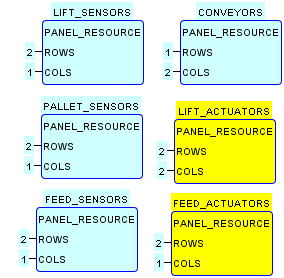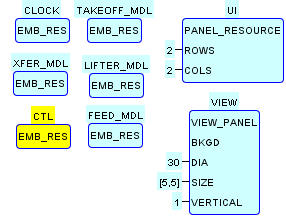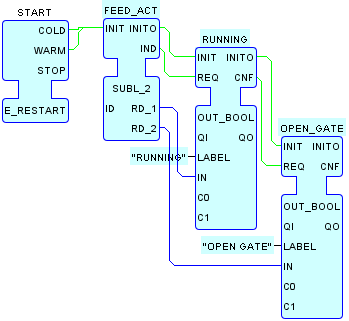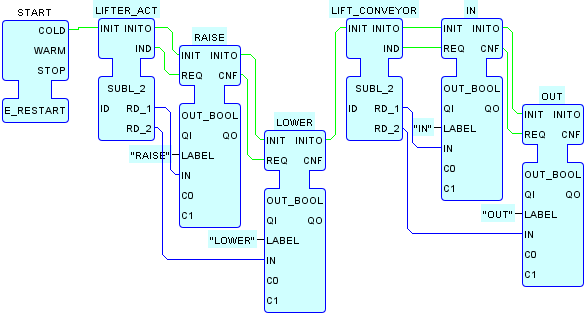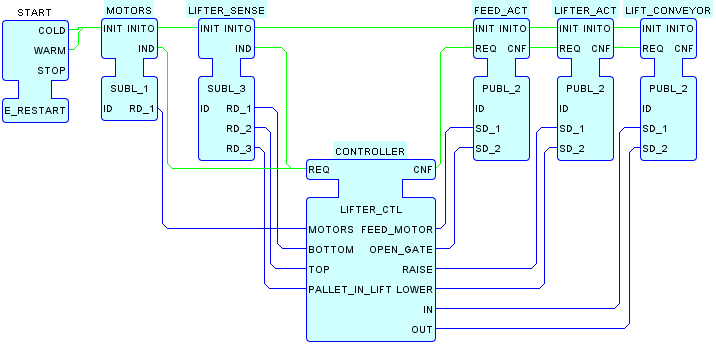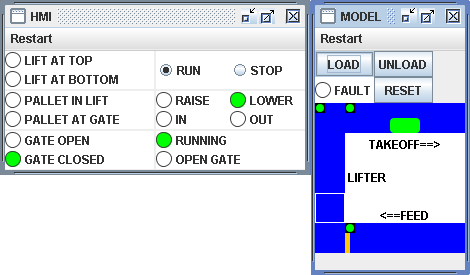
This System Configuration implements the layered Model+View+Control testing architecture for the pallet handling example.The screenshot above shows the result of performing the following actions:
- Launching the configuration.
- Clicking the RESET button to initialize the system.
- Clicking the LOAD button to load a pallet onto the FEED conveyor.
- Clicking the RUN button.
- Allowing the system to run through Steps 1-5 shown in the animation.
- Snapping the screenshot as the lifter is moving down, as shown in Step 6 of the animation.
As shown in the figures below, this System configuration is derived
from the LIFTER_MVL
configuration as follows:
-
Controller functionality is added to the
MODELDevice in a newCTLResource, which contains an instance of theLIFTER_CTLFB Type to perform the required control functions. -
The
LIFT_ACTUATORSandFEED_ACTUATORSResources of theHMIDevice are re-configured to display the actuator values output by the controller. -
The configurations of the remaining Resources in the
HMIandMODELDevices remain identical to their configurations in theLIFTER_MVLSystem configuration. -
Finally, the use of the local multicast and
Tagged Data design
patterns enables the insertion of the
CTLResource into theMODELDevice without any modification of the Tag data base.