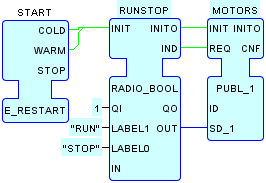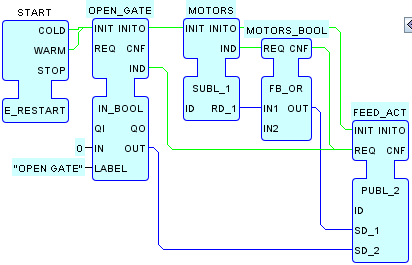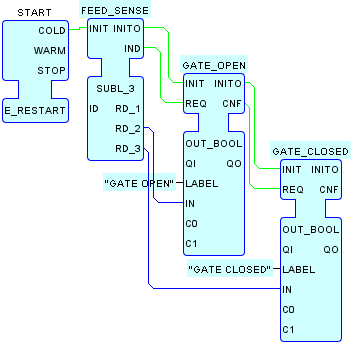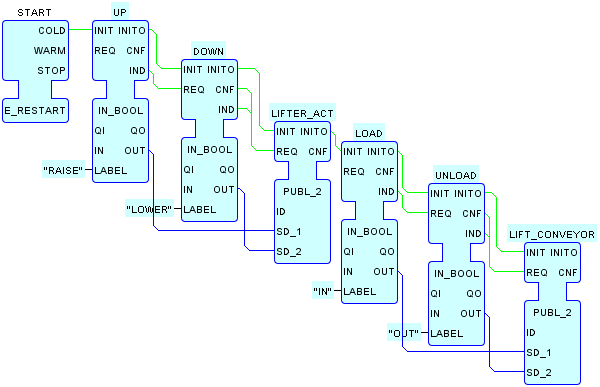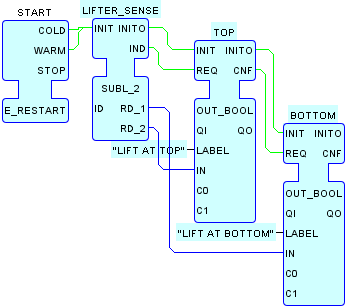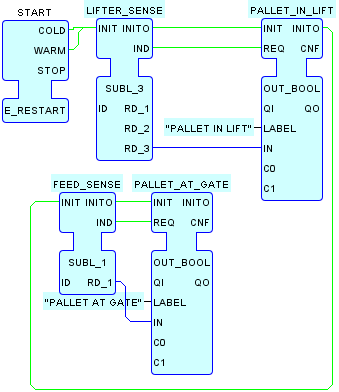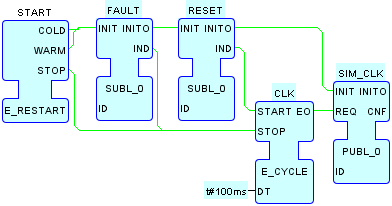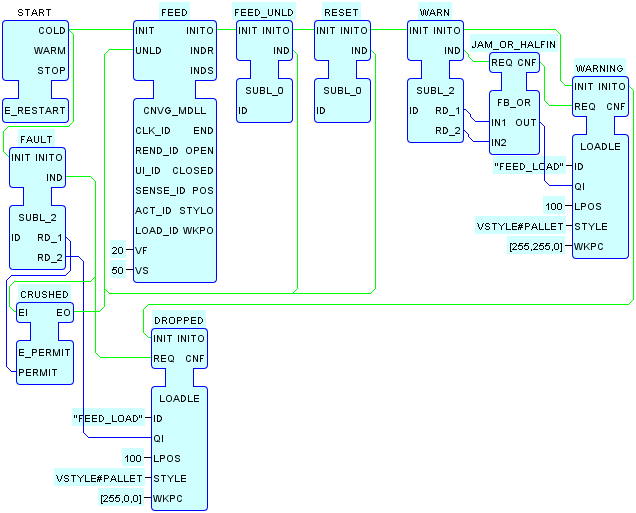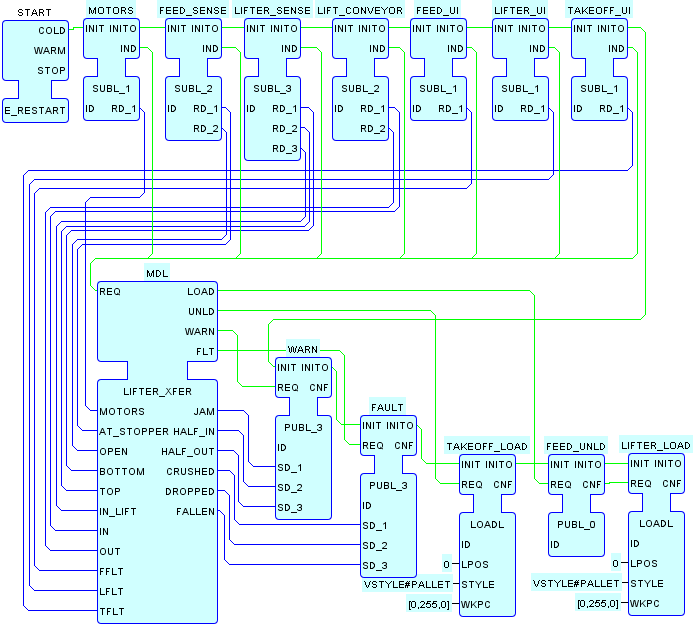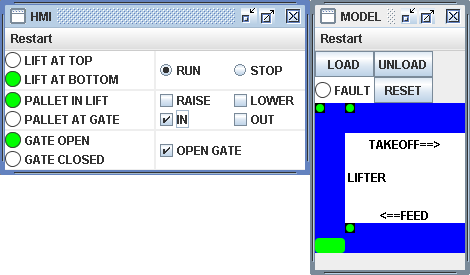
This System Configuration implements the layered Model+View testing architecture for the pallet handling example. The screenshot above shows the result of performing the following actions:
- Launching the configuration.
- Clicking the RESET button to initialize the system.
- Clicking the LOAD button to load a pallet onto the FEED conveyor.
- Clicking the RUN button to feed the pallet up to the closed gate.
- Clicking the IN button to start the lifter's internal conveyor running in the infeed direction.
- Clicking the OPEN GATE button to enable the pallet to be conveyed into the lifter.
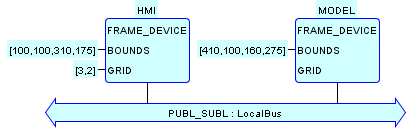
The HMI device encapsulates the functionality of the HMI
layer of the architecture - specifically the HMI elements needed to
read sensor values and write actuator values - while the MODEL
device encapsulates both the Model and the View
layers.
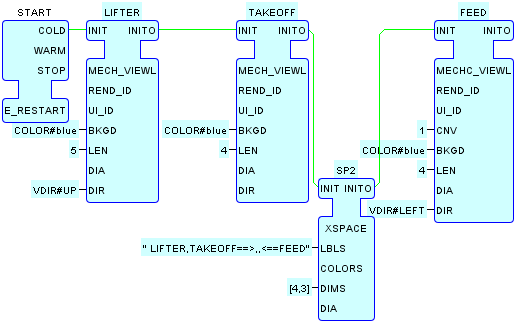
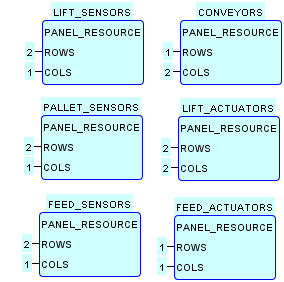
As in the VIEW device of the LIFTER_VIEWL
configuration, the MODEL device contains an instance of
the specialized VIEW_PANEL
resource type to provide the necessary layout of View
elements for the pallet handling example. In addition, an instance
of the PANEL_RESOURCE
type contains the User Interface (UI) elements necessary for
operation of the model, specifically:
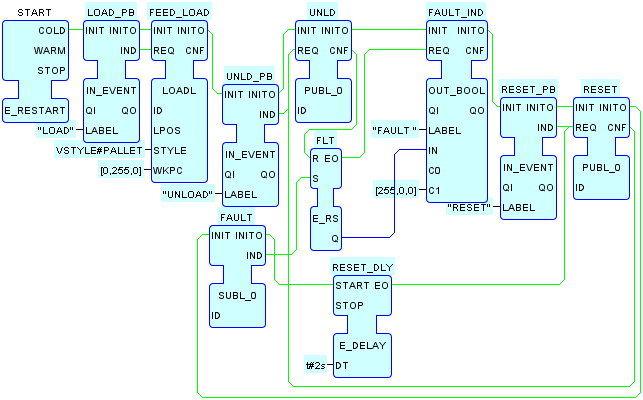
- Two pushbuttons to LOAD a pallet onto the feed conveyor and UNLOAD it from the takeoff conveyor, respectively.
- A FAULT output to indicate the existence of a fatal condition (which stops the simulation clock), and a RESET button to recover from the fault condition.
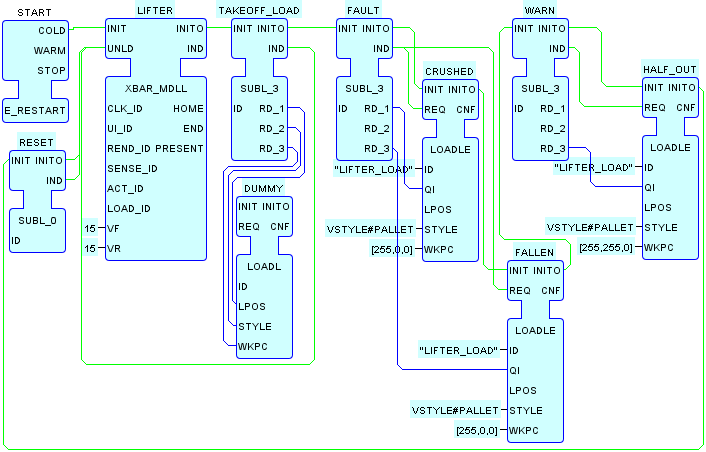
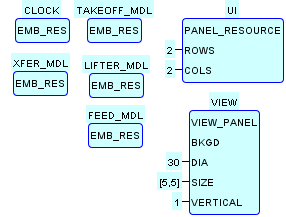
The MODEL device also
contains five instances of the EMB_RES
type, which in turn contain the Model elements for the
corresponding Views, as well as logic to simulate the physics
of the interactions among Model elements including their
sensors and actuators; transfer of workpieces; and simulation of
fatal and non-fatal fault conditions:
-
The
CLOCKresource contains the simulation clock, whose events are distributed using the local multicast pattern. -
The
FEED_MDLresource contains an instance of theCNVG_MDLLtype, corresponding to the feed conveyor in theVIEWpanel, along with local multicast elements, logic and instances of theLOADLEtype to handle pallet transfer to the lifter element as well as display of fault conditions. -
The
LIFTER_MDLresource contains an instance of theXBAR_MDLLtype, corresponding to the lifter element in theVIEWpanel, as well as elements to handle pallet transfer and display of fault conditions in a manner similar to theFEED_MDLresource. -
The
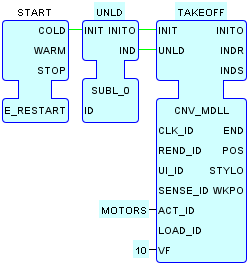
TAKEOFF_MDLresource contains an instance of theCNV_MDLLtype, corresponding to the takeoff conveyor in theVIEWpanel, as well as elements to handle pallet transfer and display of fault conditions in a manner similar to theFEED_MDLandTAKEOFF_MDLresources. -
The
XFER_MDLresource contains an instance of theLIFTER_XFERtype to model the normal loading and unloading of pallets from the lifter as well as fatal and non-fatal fault conditions.
As shown in the table below, inter- and intra-layer communication is
implemented with the local multicast pattern, in particular for the
distribution of the simulation clock and the simulation of workpiece
transfer with instances of the LOADLE
type. The Tagged Data
design pattern to ensure consistency of the communicated events and
data.
| Tag Name | Type(s) | Description |
|---|---|---|
FAULT
|
BOOL,BOOL,BOOL
|
CRUSHED, DROPPED, FALLEN
|
FEED_ACT
|
BOOL,BOOL
|
FEED_MOTOR, GATE_DOWN
|
FEED_SENSE
|
BOOL,BOOL,BOOL
|
PALLET_AT_GATE, GATE_OPEN, GATE_CLOSED
|
FEED_UI
|
BOOL
|
User input FAULT Condition from MODEL.VIEW.FEED
|
FEED_UNLD
|
|
Unload Pallet from FEED conveyor
|
LIFTER_ACT
|
BOOL,BOOL
|
RAISE, LOWER
|
LIFTER_SENSE
|
BOOL,BOOL,BOOL
|
BOTTOM, TOP, PALLET_IN_LIFT
|
LIFTER_UI
|
BOOL
|
User input FAULT Condition from MODEL.VIEW.LIFTER
|
LIFT_CONVEYOR
|
BOOL,BOOL
|
IN, OUT
|
MOTORS
|
BOOL
|
FEED + TAKEOFF MOTORS
|
RESET
|
|
RESET Command from MODEL.UI
|
SIM_CLK
|
|
Simulation Clock
|
TAKEOFF_LOAD
|
UINT,VSTYLE,COLOR
|
LPOS, STYLE, WKPC from MODEL.XFER_MDL
|
TAKEOFF_UI
|
BOOL
|
User input FAULT Condition from MODEL.VIEW.TAKEOFF
|
UNLD
|
|
UNLOAD Command from MODEL.UI
|
WARN
|
BOOL,BOOL,BOOL
|
JAM, HALF_IN, HALF_OUT
|