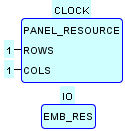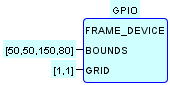
This system configuration utilizes the LED/Pushbutton Testbed for the Raspberry Pi.
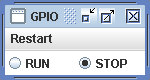
Upon launching the system configuration, the test window shown above is opened.
-
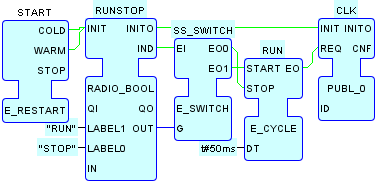
Clicking on the RUN radio button triggers the
STARTinput of theRUNFB in theGPIO.CLOCKResource, following which the following sequence of operations occurs every 50 milliseconds:-
An event is passed from the
RUN.EOoutput to theCLK.REQinput in theGPIO.CLOCKResource. -
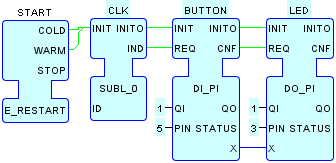
This event is then passed to the
CLKFB in theGPIO.IOResource via the Local MulticastCLKchannel. -
The event is then passed from the
CLK.INDoutput to theBUTTON.REQinput in theGPIO.IOResource. -
The button state is read to
BUTTON.X (TRUE=up,
							FALSE=down)
and is passed toLED.X. -
An event is passed from
BUTTON.CNFtoLED.REQ. -
The value at
LED.Xis written to the LED output(TRUE=high=ON, FALSE=low=OFF)
-
An event is passed from the
- The above cycle of operations produces the observable effect that the LED is OFF when the pushbutton is pressed, and ON when the pushbutton is released.
-
Clicking the STOP radio button stops the operation of the
RUNFB, with the result that pressing and releasing the pushbutton has no further effect on the LED state until the RUN radio button is clicked again.